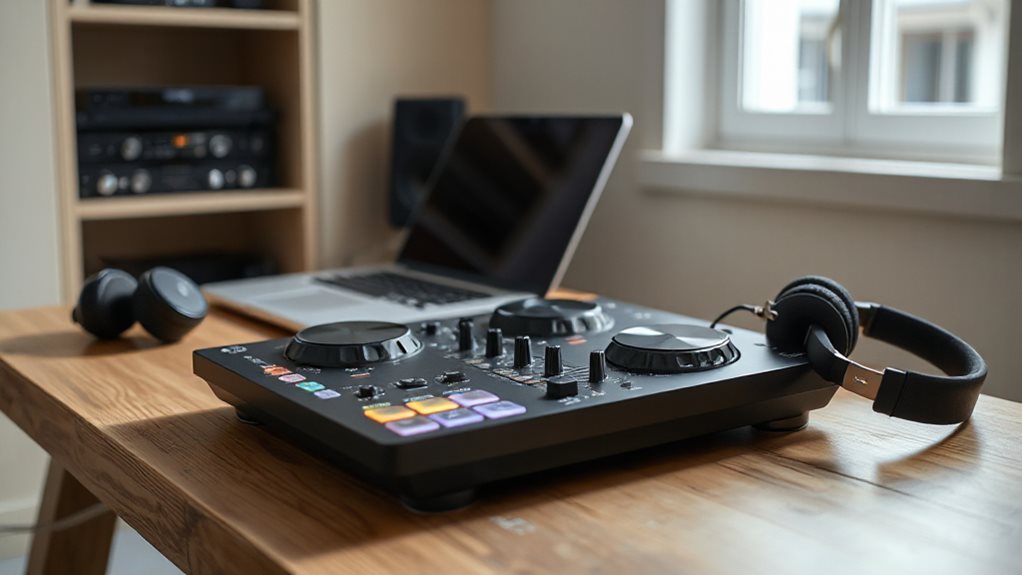
You want power, but you need simplicity. Plug in the Numark DJ2GO2 Touch, feel the beat pulse under your fingers, and watch the LED guides light your way.
Every knob, every pad responds—clean, fast, intuitive.
Imagine mixing on a train, in your room, anywhere. Compact gear like the DDJ-FLX2 grows with you, ready for bigger sets, real crowds.
You’re not just playing songs. You’re building a rhythm, a path. And the right controller? It’s already calling your name.
Quick Overview
- Intuitive layouts with color-coded controls and essential knobs simplify learning for beginner DJs.
- Plug-and-play USB connectivity allows immediate setup without drivers on Mac or PC.
- LED beatmatch and jog wheel lighting guide timing, aiding accurate beat synchronization.
- Compact, durable designs with lightweight builds enhance portability for gigs and practice.
- Direct streaming support from SoundCloud, Spotify, and TIDAL enables instant access to millions of tracks.
| Hercules DJControl Inpulse 200 MK2 Black |  | Best for Learning | Software Included: Serato DJ Lite, DJUCED | Compatibility: PC, Mac, Serato DJ Pro | Streaming Support: Beatport, Beatsource, SoundCloud GO+, TIDAL | VIEW LATEST PRICE | Read Our Analysis |
| Pioneer DJ AlphaTheta DDJ-FLX2 Compact 2-Channel DJ Controller |  | Top Budget Pick | Software Included: Various DJ apps (not specified) | Compatibility: Smartphones, tablets, computers, DJ apps | Streaming Support: Various streaming services | VIEW LATEST PRICE | Read Our Analysis |
| Numark Party Mix II DJ Controller |  | Best Party Starter | Software Included: Serato DJ Lite | Compatibility: Devices with USB, Serato DJ Lite | Streaming Support: SoundCloud, Beatport Link, Beatsource Link, TIDAL | VIEW LATEST PRICE | Read Our Analysis |
| Numark DJ2GO2 Touch DJ Controller |  | Most Portable Option | Software Included: Serato DJ Lite | Compatibility: Mac, Windows, Virtual DJ via MIDI | Streaming Support: Apple Music, Tidal, Spotify, SoundCloud, Beatport Link, Beatsource Link | VIEW LATEST PRICE | Read Our Analysis |
| Pioneer DJ DDJ-FLX4 2-deck Rekordbox and Serato DJ Controller – Graphite |  | Best Overall | Software Included: Rekordbox, Serato DJ Lite | Compatibility: Rekordbox, Serato DJ Lite | Streaming Support: Various streaming services | VIEW LATEST PRICE | Read Our Analysis |
| Numark Mixtrack Pro FX DJ Controller |  | Best Feature-Rich | Software Included: Serato DJ Lite | Compatibility: Mac, Windows, Serato DJ | Streaming Support: Apple Music, Tidal, Spotify, SoundCloud, Beatport Link, Beatsource Link | VIEW LATEST PRICE | Read Our Analysis |
| Hercules DJControl Inpulse 200 MK2 DJ Controller | | Editor’s Choice | Software Included: Serato DJ Lite, DJUCED | Compatibility: Serato DJ Pro, Serato DJ Lite, DJUCED | Streaming Support: Beatport ADVANCED, Beatsource, SoundCloud GO+, TIDAL | VIEW LATEST PRICE | Read Our Analysis |
More Details on Our Top Picks
Hercules DJControl Inpulse 200 MK2 Black
Want to start DJing but not sure where to begin? The Hercules DJControl Inpulse 200 MK2 Black is your beat-powered launchpad. You plug in, fire up Serato DJ Lite, and go. Its Beatmatch Guide lights up, showing you exactly when to sync tempos, no guesswork.
Feel the rhythm, press the pads: Hot Cue, FX, Sampler, Stems, all under your fingers. Mix vocals from one song, instruments from another. It’s compact, light, and ready to travel. Yes, the plastic feels light, and the cable’s fixed. But you’re learning, creating, moving.
This is your start. Simple. Strong. Real.
- Software Included:Serato DJ Lite, DJUCED
- Compatibility:PC, Mac, Serato DJ Pro
- Streaming Support:Beatport, Beatsource, SoundCloud GO+, TIDAL
- Jog Wheels:Touch-sensitive jog wheels with LED guides
- Performance Pads:8 pads with 4 modes (Hot Cue, Stems, FX, Sampler)
- Portability:Compact, 2.81 lbs, travel-friendly
- Additional Feature:Beatmatch Guide lights
- Additional Feature:STEMS mixing feature
- Additional Feature:DJ Academy tutorials
Pioneer DJ AlphaTheta DDJ-FLX2 Compact 2-Channel DJ Controller
What if your first beat could also be your most confident? The Pioneer DJ AlphaTheta DDJ-FLX2 helps you own it. You plug in, fire up your phone or laptop, and boom—music flows. Use Smart CFX for instant effects, or slide the Smart Fader to mix smooth, like silk.
Two channels give you full control, perfect for learning fast. Need to practice? Just plug in headphones. Play tracks straight from apps or streaming services—no extra gear. Compact, tough, simple. You stay focused. Beats stay tight.
This controller fits your room, your style, your dream. Start here. Mix loud. Mix proud. Your stage begins now.
- Software Included:Various DJ apps (not specified)
- Compatibility:Smartphones, tablets, computers, DJ apps
- Streaming Support:Various streaming services
- Jog Wheels:Not specified
- Performance Pads:Smart CFX and Smart Fader (implied pad functionality)
- Portability:Compact 2-channel design
- Additional Feature:Smart CFX effects
- Additional Feature:Smart Fader transitions
- Additional Feature:Plug-and-play simplicity
Numark Party Mix II DJ Controller
Who says your first DJ controller can’t spin tracks and light up the room? You get both with the Numark Party Mix II. Its touch-sensitive jog wheels respond fast, scratch, cue, or mix with ease. Four performance pads per deck let you trigger loops, effects, or samples on the fly.
Sync, filter, EQ—controls are right at your fingertips. The built-in LED lights pulse to the beat, perfect for small parties. Plug into Serato DJ Lite—free and start mixing fast. Just add a USB cable.
While pros may crave more, you’re building skills, not clutter. It’s light, loud, and ready when you are.
- Software Included:Serato DJ Lite
- Compatibility:Devices with USB, Serato DJ Lite
- Streaming Support:SoundCloud, Beatport Link, Beatsource Link, TIDAL
- Jog Wheels:Large touch-sensitive jog wheels
- Performance Pads:4 pads per deck (8 total)
- Portability:Lightweight (1.76 lbs), compact dimensions
- Additional Feature:Built-in party lights
- Additional Feature:Beat-synced LEDs
- Additional Feature:Compact light show
Numark DJ2GO2 Touch DJ Controller
You’re spinning tracks in a dorm room, a backpack, or a tight corner at a friend’s party. Where does a beginner DJ start when space and budget matter?
Grab the Numark DJ2GO2 Touch. It’s small, sleek, and built to move with you. You’ve got two decks, touch-sensitive jog wheels, and a smooth crossfader, perfect for mixing.
Plug into Serato DJ Lite and stream instantly from Spotify, Apple Music, or SoundCloud. Use the four pad modes to drop cues, loops, or samples with punch. Backlit controls glow under dim lights.
Take it anywhere. Play anywhere. Your mix starts now.
- Software Included:Serato DJ Lite
- Compatibility:Mac, Windows, Virtual DJ via MIDI
- Streaming Support:Apple Music, Tidal, Spotify, SoundCloud, Beatport Link, Beatsource Link
- Jog Wheels:Touch capacitive jog wheels
- Performance Pads:4 pad modes (cue, loop, sample, effects)
- Portability:Ultra-portable, low-profile, highly mobile
- Additional Feature:Touch capacitive jog wheels
- Additional Feature:Radiant backlit controls
- Additional Feature:Ultra-portable low-profile design
Pioneer DJ DDJ-FLX4 2-deck Rekordbox and Serato DJ Controller – Graphite
If you’re just stepping into DJing and want gear that grows with your skills, the Pioneer DJ DDJ-FLX4 is built for you. You plug in, fire up Rekordbox, and go, simple. Its graphite-black layout feels sleek, familiar. Two channels give you full control, perfect for mixing tracks smoothly.
Use the Smart Fader to auto-sync beats, or flip on Smart CFX for rich, one-touch effects. Pads respond fast—scratch, loop, trigger samples with punch. At just over six pounds, it’s light but solid. While Serato DJ Lite works, Rekordbox runs cleaner, sharper. You’ll learn fast, mix faster. This is your launchpad.
- Software Included:Rekordbox, Serato DJ Lite
- Compatibility:Rekordbox, Serato DJ Lite
- Streaming Support:Various streaming services
- Jog Wheels:Not specified
- Performance Pads:Performance pads for scratching and effects
- Portability:6.16 lbs, moderate size for portability
- Additional Feature:Hardware unlock compatible
- Additional Feature:Rekordbox optimized performance
- Additional Feature:Graphite sleek finish
Numark Mixtrack Pro FX DJ Controller
The Numark Mixtrack Pro FX stands ready for the newcomer keen to plunge into real DJing with pro-style control. You plug it in, fire up Serato DJ Lite, and go, no fuss. As you explore the best DJ mixers for 2023, the Numark Mixtrack Pro FX distinguishes itself with its user-friendly features and robust build quality. This makes it an excellent choice for aspiring DJs looking to experiment and hone their skills. With seamless software integration and responsive controls, you’re poised to elevate your mixing game right out of the box. As you continue your journey, consider exploring the best audio mixers for beginner musicians that can further enhance your setup. These mixers provide intuitive interfaces and essential features that cater to newcomers, ensuring that every sound you create can be fine-tuned to perfection. Investing in a reliable audio mixer can transform your practice sessions and recordings, allowing you to bring your musical ideas to life with ease.
Big 6-inch jog wheels respond like turntables, perfect for scratching or nudging beats tight. You’ll mix with smooth faders, tweak EQs on the fly, and drop loops with one tap.
Six effects spark creativity, each with paddles for quick tweaks. Need volume? Mic input, headphone jack, and RCA outs connect straight to speakers. You control Apple Music, Spotify, or Tidal right from the decks. Every pad, knob, and fader puts you in command—simple, strong, and built to grow with your groove.
- Software Included:Serato DJ Lite
- Compatibility:Mac, Windows, Serato DJ
- Streaming Support:Apple Music, Tidal, Spotify, SoundCloud, Beatport Link, Beatsource Link
- Jog Wheels:Large 6-inch capacitive-touch jog wheels
- Performance Pads:8 performance pads per deck (16 total)
- Portability:Full-size layout, less portable
- Additional Feature:6-inch scratch jog wheels
- Additional Feature:3-band EQ per channel
- Additional Feature:Mic input with FX
Hercules DJControl Inpulse 200 MK2 DJ Controller
When you’re just starting out and want to mix beats like a pro without getting lost in complicated gear, the Hercules DJControl Inpulse 200 MK2 steps in with smart help and smooth moves. Its LED beatmatch guide shows you exactly when beats align, just follow the lights.
You’ll mix vocals and instrumentals separately using Stems mode, activating creative control fast. Eight responsive pads handle cues, effects, and samples with ease. It works seamlessly with Serato DJ Lite, Pro, and DJUCED, plus streams from Beatport, SoundCloud, and TIDAL.
Plug in, launch tutorials, and learn as you go. Compact, powerful, and built for growth, this controller keeps your rhythm sharp and your focus on the music.
- Software Included:Serato DJ Lite, DJUCED
- Compatibility:Serato DJ Pro, Serato DJ Lite, DJUCED
- Streaming Support:Beatport ADVANCED, Beatsource, SoundCloud GO+, TIDAL
- Jog Wheels:Touch-sensitive jog wheels with LED indicators
- Performance Pads:8 performance pads with 4 modes
- Portability:Compact, 2.86 lbs, designed for transport
- Additional Feature:Braided USB cable
- Additional Feature:LED beat alignment
- Additional Feature:Integrated streaming services
Factors to Consider When Choosing DJ Controllers for Beginners
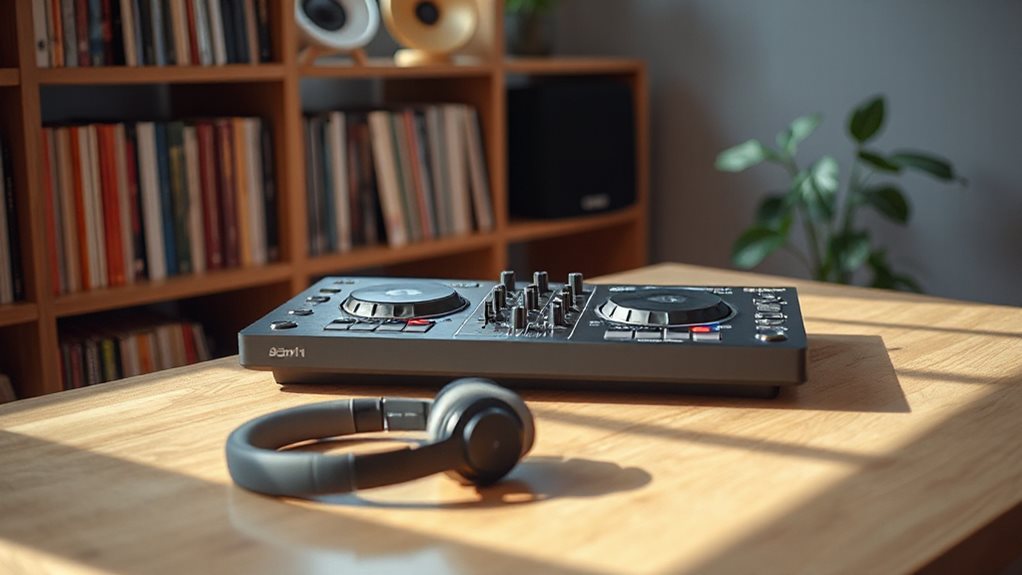
You want a DJ controller that’s easy to use right out of the box. Look for one with clear labels and responsive knobs that feel smooth under your fingers. As you explore the best dj controllers for beginners, consider models that offer intuitive layouts and built-in tutorials to guide you through the learning process. Also, check for those that are compatible with popular software like Serato or Traktor, ensuring a smoother transition into your DJing journey. With the right controller, you’ll be mixing tracks in no time.
Build quality matters, so check the plastic and hinges. A sturdy frame handles bumps when you’re on the move, and portability keeps your setup light and tight for gigs or practice.
Ensure it is compatible with software like Serato or Rekordbox. Select a layout where the faders, pads, and jog wheels align perfectly, allowing your hands to move smoothly without conscious effort.
Ease Of Use
What makes a DJ controller truly beginner-friendly? Ease of use. You want intuitive layouts: clear labels, logical button placement, so you’re mixing fast, not fumbling. Look for plug-and-play USB: plug in, launch software, go. Built-in tutorials or video access? Gold. They guide your hands and mind.
On-board LED light guides help you match beats like a pro, flashing in rhythm so you stay locked in time. Simplified channel strips cut clutter—just knobs, faders, and essentials—so you focus on flow. Responsive jog wheels with tactile feedback make scratching and nudging feel natural, even when you’re just starting.
You’ll gain confidence fast when the gear answers your touch, like a drum responds to a hand. Smooth setup, smart design, instant control—this is how you begin strong.
Build Quality
A solid DJ controller stands up to your hustle, night after night, beat after beat. You need one that won’t crack under pressure or fall apart in your gig bag. Look for metal knobs and faders. They last longer than plastic ones.
Heavy doesn’t mean clumsy. It often means sturdy guts and less sliding when you scratch hard. Small size is handy, but too compact might mean weak joints or flimsy frames. Watch out for hardwired cables. They snap, fray, and leave you stuck. Pick one with detachable cables instead. They’re easier to fix.
Reinforced corners and textured pads help you grip during long sets. Your gear should feel tough, sure, and ready. It can take the heat of your passion and keep spinning. Build quality isn’t just about looks. It’s about lasting through every beat you throw at it.
Software Compatibility
Strong gear holds up when the beat drops, but even the toughest knobs and faders won’t matter if your controller won’t talk to your software. You need a controller that works smoothly with popular DJ apps like Serato, Rekordbox, or Traktor. These programs are beginner-friendly and packed with tutorials to help you learn fast. Check if your music streams through the software; access to huge libraries means more tracks to mix.
Some packages lock key features behind extra fees, so read the fine print. Avoid surprise costs later. Make sure the controller is class-compliant. That means plug it in, and it just works, no drivers needed, on Mac or PC.
Look for MIDI mapping. It lets you grow, switching software as your skills do. Flexibility keeps your setup future-ready. Choose smart. Play bigger.
Portability And Size
When you’re on the move, every ounce counts, so grab a controller that won’t weigh you down. Most compact models tip the scales between 1.7 and 3 pounds, light enough to toss in your bag. If space is tight, look for units under 16 x 11 inches. They fit neatly on desks, café tables, and even your bed.
Lightweight builds with tough shells survive bumpy commutes. Some even come with carrying handles, smart for hopping between gigs or practice spots. Built-in audio interfaces mean fewer cables, less clutter, and faster setup.
But here’s the beat: smaller size can mean fewer knobs and faders. That’s cool for travel, but as a beginner, you’ll want enough controls to learn without frustration. Balance portability with layout. Pick a design that moves with you—physically and musically.
Keep it light, keep it simple, but never sacrifice learning room. Your gear should groove with your growth.
Control Layout
How do you find your groove fast? Start with a layout that makes sense. Look for color-coded, clearly labeled controls: red play buttons, blue effects, green cues. They guide your hands without thinking.
Choose a symmetrical design. If both sides mirror each other, mixing feels natural, smooth, and repeatable. Place your fingers on EQ knobs grouped near faders. Keep related tools close. That builds muscle memory fast.
Use jog wheels with LED light guides. Spinning them feels right when the lights pulse with the beat. Need tempo tweaks? Just nudge the pitch slider. See the numbers move.
Keep essential buttons—cue, sync, play—within thumb’s reach. No hunting. No stress. You stay in flow. Simple actions. Clean layout. Total control. Let your hands learn the rhythm, one smart placement at a time.
Learning Tools
You’ve got the layout down, now let’s turn that control into confidence. Look for LED light guides that flash with the beat, showing you when tracks are in sync. They’re like a metronome for your eyes, helping you feel the rhythm.
Pick a controller with built-in video tutorials or links to interactive lessons. Step-by-step guidance makes learning smoother. Choose one with a smart, simple design so you don’t get lost in menus.
Use beat-sync help when starting out. It keeps the tempo steady while you focus on timing. Try models with practice modes that highlight cue points, so you know exactly when to hit play.
Explore performance pads set to hot cues, loops, or effects. Each mode teaches a new skill. These tools don’t just assist—they train your hands, sharpen your ears, and build muscle memory fast.
Streaming Service Support
Where will your music come from? Your controller can plug straight into streaming services, giving you millions of tracks at your fingertips. No need to own every song, just stream and mix. Some models support high-quality audio, so beats stay crisp, and changes stay smooth. You’ll spin cleaner sets with clear, rich sound.
Many let you tap into curated playlists and cloud libraries, making prep fast and smart. But check compatibility. Some don’t work with big platforms like Spotify or Apple Music. That could slow you down. Also, streaming often needs a paid subscription. That’s an extra cost beyond the gear.
Pick a controller that fits your favorite service. Match your tools to your tunes. Stream smart, mix tighter, and keep your flow unstoppable.
Audio Output Options
Your music hits harder when the sound stays clean from controller to speaker. Most beginner DJ controllers use RCA outputs; just plug them into powered speakers for solid, line-level sound. Keep cables short to avoid weak or noisy signals.
Need to cue tracks? Use the 1/8-inch headphone jack to preview beats before they drop. It’s your secret weapon for smooth shifts. Some models even have mic inputs, so you can hype the crowd with live talk or simple vocals.
Look for built-in audio interfaces that support 24-bit/44.1kHz. This means crisp, clear audio with no fuzzy edges. Main outputs are often unbalanced, so don’t stretch cables too far. Clean setup, clean sound. Match your gear wisely. Strong signals stay strong. Weak links break the vibe.
You control the flow. Keep it tight, keep it clear, and let every beat land right where it should.
Frequently Asked Questions
Can I Use These Controllers With an iPad?
Yes, you can use these controllers with your iPad. Just grab a compatible USB cable or camera adapter. Plug in, open your DJ app, and go.
Most models work smoothly with Algoriddim’s djay or Native Instruments’ Traktor. Some even power through USB. Test the connection first. Adjust settings if needed. Keep your iPad charged.
You’ll mix beats anywhere, anytime, simple, strong, ready. Tap, swipe, spin. Your sound, your rules.
Do I Need a Laptop to Use These Controllers?
No, you don’t always need a laptop. Many new DJ controllers plug straight into your iPad or iPhone using a USB cable or wireless connection. Just open a DJ app like djay or Rekordbox, link your controller, and start mixing. Some even power through the iPad.
Others still need a laptop for full software access. Check your gear’s specs. Match it to your setup. Keep it simple. Stay flexible. Play on.
Are These Controllers Suitable for Live Performances?
Yes, you can absolutely rock live sets with these controllers. Think of them as your musical launchpad, simple, tough, and ready to perform. You’ll mix tracks, trigger samples, and build energy like a pro.
Some need a laptop, others work standalone. Either way, plug in, power up, and let the beats take control. Your stage, your sound. Start small. Shine bright.
Can I Connect External Turntables to These Controllers?
Yes, you can connect external turntables to some of these controllers. Check the back panel and look for phono inputs or line inputs.
If you see them, plug in your turntables using RCA cables. Not all beginner models support this, so pick one like the DDJ-400 or SCS.3d if turntables matter. Match the signal type, set your software correctly, and spin vinyl while mixing digitally—best of both worlds.
Do Any of These Support Vinyl Control?
Yes, you can use vinyl control with some beginner DJ controllers. Models like the Pioneer DJ DDJ-400 and Numark DJ2GO2 Touch support it when paired with timecode vinyl and software like Serato or Rekordbox.
Plug in your turntables, load the software, and spin records to control digital tracks. Setup is quick. You scratch, pitch, and mix just like a pro.
Not all entry-level gear offers this, so check compatibility first. Your turntables become powerful digital tools.