
Wireless security cameras are better and cheaper than they were a decade ago, when this post first appeared. The five cameras we originally recommended here (including one built around a cloud service that shut down years ago) are no longer around.
Here’s an updated, honest look at what’s actually worth buying in 2026, based on current pricing and specs rather than what was good ten years ago. Prices below are approximate and change often, especially during sales, so check the current price before you buy. Want to skip monthly fees? Jump to our cameras with no monthly fee.
What to Look for in a Wireless Security Camera

Before picking a specific camera, it helps to know what actually matters. Resolution is the obvious one: 1080p is fine for general monitoring, but 2K or 4K makes a real difference if you ever need to zoom in on a face or a license plate after the fact. Field of view matters more than most people expect, too. A camera with a narrow 110-degree view might miss half your porch, while a 160-degree lens covers a much wider area from the same spot.
The power source shapes everything else. Battery-powered cameras go up almost anywhere in minutes with no wiring, but you’ll recharge or swap batteries every month to six months depending on how much motion they catch. Wired or plug-in cameras never run out of power, but you’re stuck putting them somewhere near an outlet. A few, like the eufyCam C37 below, split the difference with a battery plus a solar panel that keeps it topped off.
Then there’s storage. Most big-name cameras (Ring, Nest, Arlo, Blink) push you toward a cloud subscription to access recorded footage, usually somewhere between $4 and $10 a month. Some cameras store footage locally, on a microSD card or built-in storage, so you own your footage outright and never see a monthly bill, though you give up some of the convenience of viewing clips from anywhere.
Best Value: Ring Outdoor Cam 2K

The newest Ring camera in the lineup is the Ring Outdoor Cam 2K, and it’s the one to buy if you want solid outdoor coverage without spending much. It shoots wide-angle 2K video with 6x zoom and night vision, so you can zoom in on a face or a license plate after the fact instead of staring at a blur.
It’s also the easiest choice if you already use Alexa or other Ring devices, since everything lives in the same app. Like most cloud-based cameras, saving recorded clips takes a paid Ring plan, so factor that into the real cost.
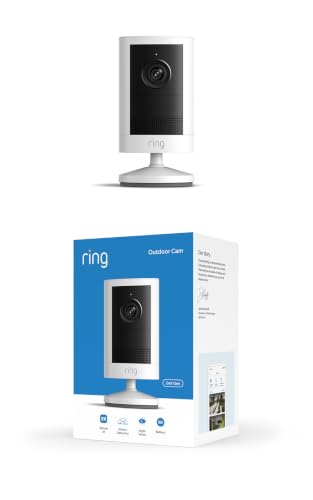
Experience crisp clarity with Retinal 2K video — See all the crucial details across your home or business with wide-angle Retinal 2K. (Video quality may vary based on...
Lowest Maintenance: Blink Outdoor 4

If you hate recharging things, the Blink Outdoor 4 is the pick. Blink rates its battery life for up to two years, meaning you can mount it and mostly forget it. It’s the least upkeep of any camera here. It records 1080p HD video with color night vision, a step below the 2K cameras on this list but plenty for watching a driveway or back door.
Blink sells its cameras in multi-camera kits, making it an affordable way to cover an entire property. It works with Alexa, and because Amazon owns Blink and Ring, they work comfortably in the same smart home. Cloud storage for saved clips is available as a paid add-on.

Outdoor 4 is our most affordable wireless smart security camera yet, offering up to two-year battery life for around-the-clock peace of mind. Local storage not included with...
Best Image Quality: Arlo Pro 5S

The Arlo Pro 5S has the best picture quality on this list. It records 2K HDR video, and you can swap its removable, rechargeable battery for a fully charged one, so you don’t have to take the camera down to recharge it.
It also offers built-in emergency response calling. Check which Arlo plan includes it before you count on it, since Arlo’s more advanced features often need a paid plan. Arlo sells the camera in multi-camera kits, so compare the per-camera price on the current listing.

Premium Outdoor Wireless Camera 2K HDR Video (3 Cameras): Watch, listen & talk. Monitor your home & property, 2K HDR quality. A complete home monitoring system, connecting...
Best for Google Home Households: Google Nest Cam (Battery, 2nd Gen)

The Nest Cam (Battery, 2nd Gen) is the right choice if your home already runs on Google Home or Google Assistant. It records 1080p HDR video, and its on-device intelligence tells the difference between a package, a person, and an animal, so you get far fewer notifications every time the dog crosses the yard.
It’s the priciest camera per unit on this list, and it records at 1080p while the Ring, Arlo, and eufy cameras shoot 2K. You’re paying for smart alerts and the Google ecosystem, so skip it if you’re not a Google household. To view a longer video history, you must subscribe to Nest Aware.

EXCLUSIVE VALUE BUNDLE INCLUDES: Google Nest Cam Outdoor/Indoor Camera, Wall Anchors and Screws, Charge Cable and Power Adapter Battery powered so it's easy to install and...
Which Wireless Security Camera Should You Buy?

The right camera depends more on your smart home ecosystem and your tolerance for monthly fees than on specs alone. A quick way to narrow it down:
- Lowest cost and Alexa integration: the Ring Outdoor Cam 2K, or the Blink Outdoor 4 if you’d rather not think about batteries.
- Best picture quality: the Arlo Pro 5S.
- No subscription fees: any of our no-monthly-fee picks, including the eufyCam C37 kit.
- Google Home household: the Nest Cam (Battery, 2nd Gen).
Whichever you choose, stick with one brand’s app so every camera shows up in the same place, and add the cost of any cloud plan before you compare prices.
What You’re Actually Paying For With a Subscription

It’s worth being clear-eyed about what a camera subscription buys you, since it’s easy to assume the camera itself is the whole cost. Without a plan, most cloud-based cameras (Ring, Nest, Arlo, Blink) will still show you a live view and send motion alerts, but they won’t save a recorded clip you can go back and watch. The subscription pays for video history: typically 30 to 180 days of stored clips depending on the plan and brand.
Plans generally run $4 to $10 a month per camera, though several brands offer a “whole home” tier that covers every camera on the account for one flat fee once you own more than two or three. If that math bothers you, it’s the strongest argument for a local-storage camera like the no-fee picks below: you’re trading some convenience (no automatic off-site backup, no viewing clips from a browser on someone else’s computer) for paying once and being done.
If you are planning more than a camera or two, our guide to home security camera systems explains wired recorder kits, storage sizing, and placement. For weatherproofing, false alerts, and the legal side of outdoor recording, see outdoor security cameras explained. If you want sensors, a siren, and monitoring instead of standalone cameras, read our guide to wireless home security systems.
Our Picks for Cameras With No Monthly Fee
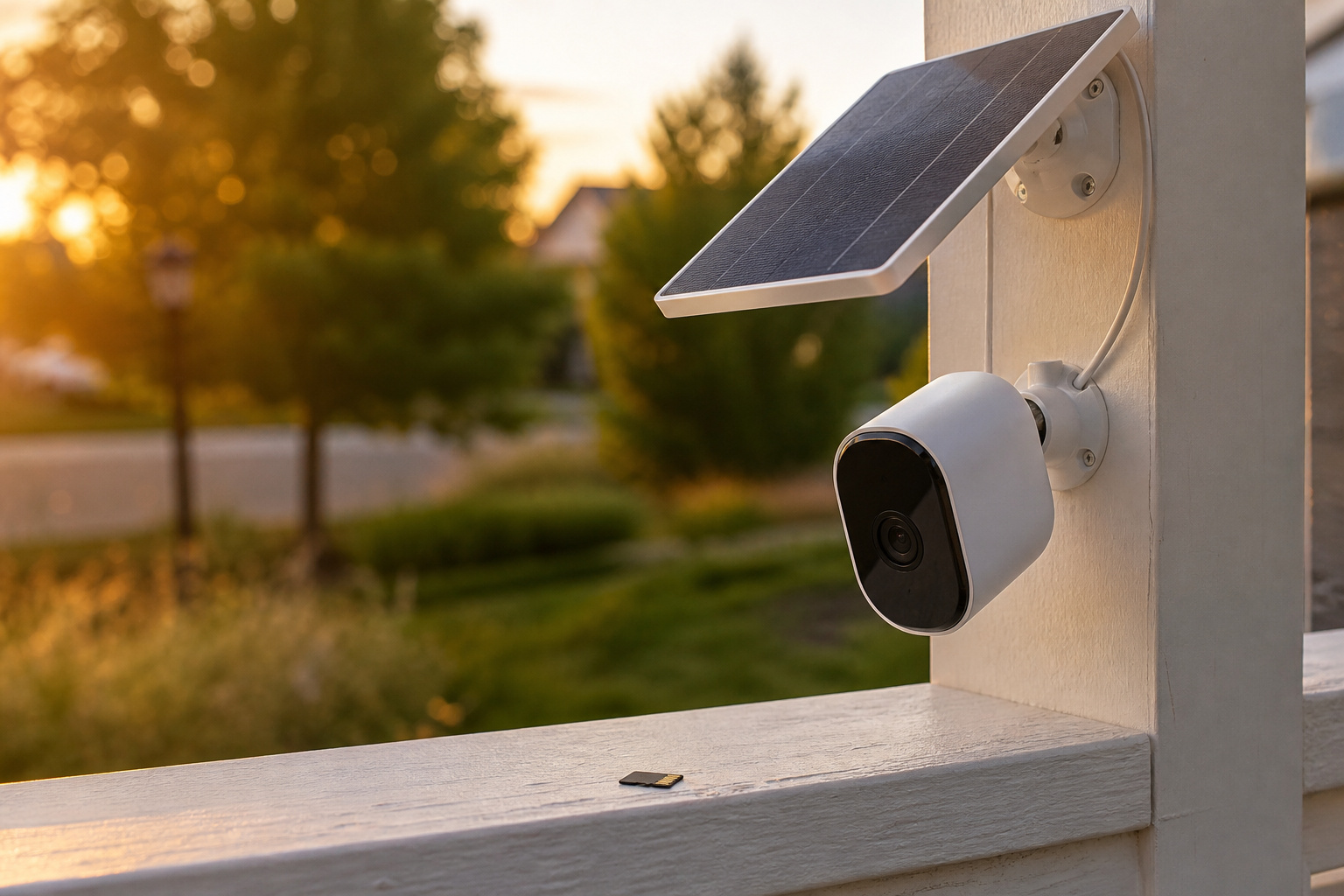
If paying every month for saved video sounds like a hassle, these cameras record to local storage instead. Footage stays at home, nothing is locked behind a plan, and your cost is the camera plus a memory card. That makes them an easy choice for anyone who wants to set it up once and stop thinking about it. Specs below come from eufy’s product pages and the Amazon listings, so confirm the current details before you buy.
| Pick | Best for | Where it records |
|---|---|---|
| eufyCam C35 | Easy setup, indoors or out | microSD, up to 256GB |
| eufy SoloCam E30 | Solar-powered outdoor coverage | microSD, up to 128GB |
| eufy Indoor Cam E30 (4K) | Pets, kids, and living spaces | microSD, up to 128GB |
| eufyCam C37 4-camera kit | Covering a whole home | 64GB built-in HomeBase storage |
| Carltec 4-camera solar system | Covering a property on a tighter budget | Hub with SD card, up to 128GB (per the listing) |
eufyCam C35: Best Overall Value
The C35 is the one to get if you want a camera up and running in minutes. A magnetic mount lets you stick it to a metal surface, or you can hang it, screw it in, or set it on a shelf. It is rated IP67, so it works indoors or out, and it records motion clips to a microSD card up to 256GB with no monthly fee. The card is sold separately.
eufy lists AI detection for people, vehicles, and pets, two-way talk, Alexa and Google Assistant support, and a 6500mAh battery that charges over USB-C and works with an external solar panel. Keep in mind it records at 1080p and, according to eufy, does not do 24/7 recording, so you get event clips rather than a continuous feed.
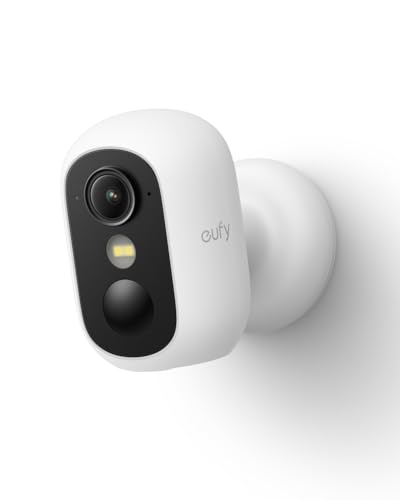
Magnetic & Screw-free Mounting: Enjoy effortless installation in seconds. The powerful magnetic base snaps onto any metal surface for a rock-solid hold, or can be placed on...
eufy SoloCam E30: Best Solar-Powered Outdoor Camera
If you want an outdoor camera you can mount and forget, the SoloCam E30 is built for it. A removable solar panel keeps its 10,000mAh battery topped up, and eufy says about two hours of direct sun a day is enough. It shoots 2K video and pans 360 degrees and tilts 70 degrees, so one camera can cover a wide yard and follow people and vehicles as they move.
It records to a microSD card up to 128GB with no monthly fee, but the card is not included, and without one you can only watch live video. Night vision is infrared, so expect black-and-white footage after dark, and the camera uses 2.4GHz Wi-Fi only. It does not support Apple HomeKit.

𝟑𝟔𝟎° 𝐕𝐢𝐬𝐢𝐨𝐧, 𝐄𝐯𝐞𝐫𝐲 𝐂𝐨𝐫𝐧𝐞𝐫 𝐢𝐧 𝐒𝐢𝐠𝐡𝐭: Enjoy comprehensive coverage with a wide viewing angle,...
eufy Indoor Cam E30 (4K): Best for Pets and Indoor Monitoring
Want to check on the dog, a nursery, or a living room without a subscription? This indoor camera records in 4K, and its pan and tilt can cover the whole room. It tracks people and pets as they move and can save up to four preset positions, so it keeps an eye on the spots you care about most.
For night, it has infrared vision and a built-in spotlight for color footage at shorter range, and the spotlight is off by default. It records to a microSD card up to 128GB, sold separately, and works with Apple Home (video limited to 1080p there), Alexa, and Google Assistant. A privacy mode turns the lens toward a wall and stops recording when you are home. It plugs into an outlet, so it is not battery-powered, and eufy’s optional cloud backup is a paid add-on you can skip.
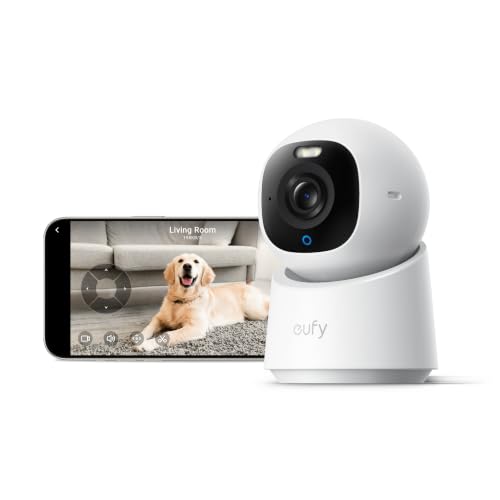
【𝟒𝐊 𝐔𝐥𝐭𝐫𝐚-𝐂𝐥𝐞𝐚𝐫, 𝟐𝟒/𝟕 𝐑𝐞𝐜𝐨𝐫𝐝𝐢𝐧𝐠】 Capture every detail, day or night, with crystal-clear 4K...
eufyCam C37 4-Camera Kit: Best for Covering a Whole Home
If you want several cameras reporting to one place, the eufyCam C37 kit is the easy way to cover a whole home without a monthly plan adding up across four cameras. The cameras shoot 2K video and charge from solar panels, so once they get decent sun, you won’t think about batteries. AI detection can tell people, vehicles, pets, and faces apart, which cuts down on pointless alerts.
Recordings go to the HomeBase Mini’s 64GB of built-in storage, so footage stays at home and you don’t need a subscription to save or review it. The up-front cost is the catch, but with no monthly fee, a kit like this can cost less over a few years than paying for a plan on several cameras.
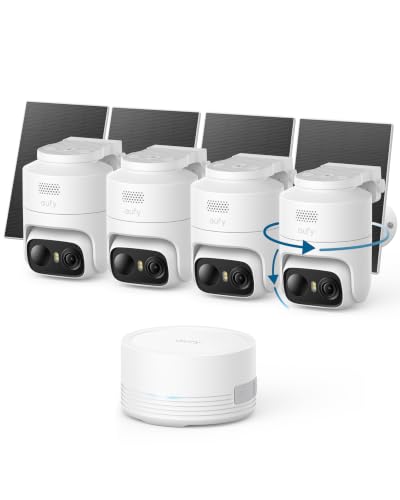
𝟑𝟔𝟎° 𝐀𝐈 𝐓𝐫𝐚𝐜𝐤𝐢𝐧𝐠 𝐰𝐢𝐭𝐡 𝐏𝐚𝐧 𝐚𝐧𝐝 𝐓𝐢𝐥𝐭: Deliver 360° property coverage and eliminate blind...
Carltec Solar Camera System: Budget Multi-Camera Option
If you need to cover a larger property and want to keep the upfront cost down, this four-camera kit is worth a look. The listing describes 360-degree pan-tilt cameras with AI auto-tracking, 2K color night vision up to 65 feet, and solar panels paired with 8000mAh batteries, so no wiring to run. The hub accepts an SD card up to 128GB for local storage, and the listing says it works with Alexa.
Carltec is a less established name than eufy, and these details come from the listing, so read recent buyer reviews and the warranty terms before you order.

[100% Wire-Free & Easy to Setup] This compact 100% wireless WiFi indoor security camera is designed for convenient home monitoring, including baby/nanny/dog/pet monitoring....
One last tip for any of these: buy a good high-endurance microSD card at the same time as the camera. It is the one part you pay for separately, and a reliable card keeps your footage safe.
Frequently Asked Questions
Do wireless security cameras need Wi-Fi to work?
Yes. “Wireless” refers to how the camera is powered and mounted, not how it connects. Every camera on this list needs a Wi-Fi connection to send you alerts, stream live video, or upload clips to the cloud. Without Wi-Fi, most of them stop functioning as a security camera entirely. A few models with local storage, like the eufyCam C37, may keep recording locally even if the internet drops, though you won’t get remote alerts until it’s back.
How long do battery-powered security cameras last before recharging?
It depends heavily on how much motion the camera detects, since recording is what drains the battery, not sitting idle. Most rechargeable battery cameras on this list last one to six months between charges under normal use. The Blink Outdoor 4 is the outlier: Blink rates its battery for up to two years, since it’s designed around low power draw. The eufyCam C37 sidesteps the question with a solar panel that keeps it charged.
Do I need a subscription to use a wireless security camera?
Not to use it, but usually to get the most out of it. Nearly every cloud-based camera works fine for live viewing and instant alerts without a plan. You lose recorded video history, so if something happens while you’re not looking at your phone, there may be nothing saved to go back and watch. Cameras with local storage, like the eufyCam C37 in our no-fee picks, avoid this entirely.
Are wireless security cameras easy to install yourself?
Generally, yes. Battery-powered models are built for this: most mount with a couple of screws or an included adhesive plate, connect to your home Wi-Fi through an app, and don’t involve wiring. Wired or plug-in models are only slightly more involved, since you need an outlet, but none of the cameras on this list require an electrician or a professional installer.
Can wireless cameras work during a power or internet outage?
A battery-powered camera keeps running through a power outage since it isn’t plugged in. It needs your home internet and Wi-Fi router to send alerts or stream, so a router that loses power will take the camera offline with it. Cameras with local storage, like the eufyCam C37, can often keep saving footage locally even without internet, but you won’t get phone alerts or remote viewing until the connection is back.