While you’re zipping down the road or backing out of a tight parking spot, your car’s eyes aren’t just in the mirror, they’re in the tech. Backup cameras and dash cams both watch your surroundings, but they do different jobs, like gloves and boots on the same worker.
What a Backup Camera Does
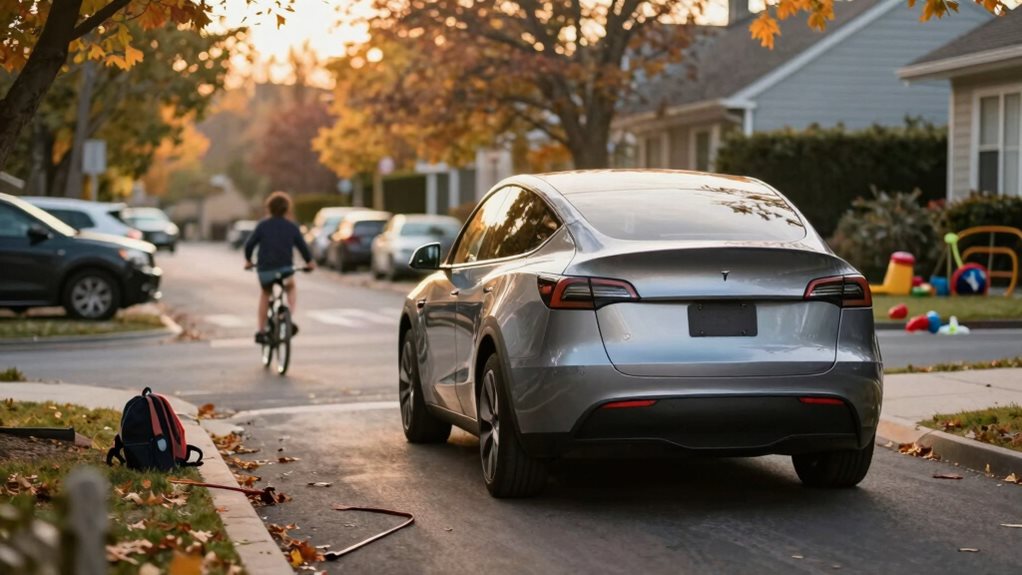
You flip on a backup camera when you shift into reverse, and suddenly the blind zone behind your car appears on your screen. It shows you curbs, kids on bikes, shopping carts, things your mirrors can’t catch.
It’s built into your car, wired to the reverse light, and it activates the moment you need it. Simple. Instant. Designed for one move: going backward. You don’t control a backup camera like a video game; it’s automatic, limited, and tied to your car’s wiring. Modern backup cameras feature wide viewing angles typically ranging from 150° to 170°, helping you line up perfectly between two trucks at a rest stop. Our guide to where to mount a backup camera covers positioning and angle in more detail. But it only works in reverse.
Recommended Products
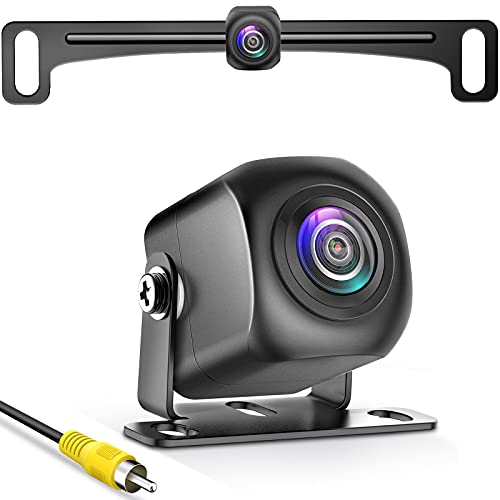
【Continuous Upgraded 1080P AHD Backup Camera】After launching three car backup cameras, PixelMan further upgrade and launch the new reversing camera PMD2A-S. This car camera use the latest chip special for reversing camera made in Japan, this chip not only has excellent image output, but also has stunning performance under strong light and dark light. Strict in details and only make the best products is what PixelMan pursues. It is also essential to you, isn't it?
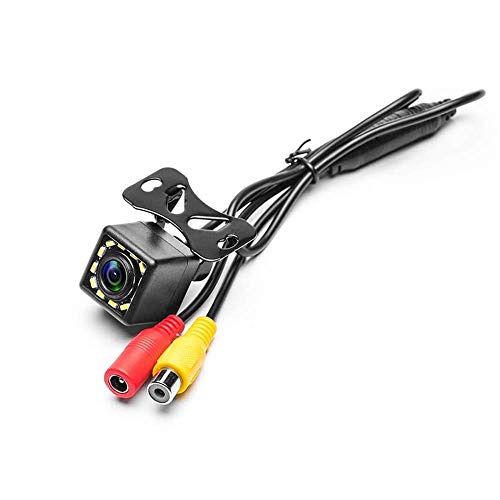
LED Night Vision Car Vehicle Front /Rear View / Side View Camera. Eliminating dangerous blind spots. Protect your car around of Kids and little pets.
What a Dash Cam Does
Dash cams, though, stay awake the whole drive. They record everything ahead, sometimes behind too, like a quiet witness riding shotgun. You mount one high on the windshield, and it rolls footage nonstop, saving clips when it senses a bump or you hit the save button. If someone cuts you off, or a deer leaps out, or a fender bender happens while you’re stopped at a light, the dash cam’s got it. Insurance companies love that proof. So do you, when someone blames you for something you didn’t do.
A dash cam is always on. It captures sunrise commutes, sudden downpours, even the weird guy dancing at the red light. It runs on loops, overwriting old footage unless an event locks it in. Premium dual dash cam models can support 24-hour parking mode with time-lapse and motion detection when paired with a hardwire kit; see our single vs. dual dash cam guide for how that setup works, and how parking mode actually keeps recording once the engine’s off.
Recommended Products

💥💥【Upgraded Since Jun 1, 2026】We've leveled up the A4! The rear camera now captures crystal-clear 2.5K footage (previously 1080P), and WiFi 6 replaces the old WiFi standard for lightning-fast video transfers to your phone. Same trusted A4 — now sharper and smarter.

【Dual STARVIS 2 Sensors】The A229 Plus is the first Front and Rear dashcam to feature two Sony STARVIS 2 IMX675 image sensors. This advanced technology offers 2.5 times dynamic range and 2.5 times light sensitivity compared to STARVIS, resulting in reduced noise and motion blur during night recording. The A229 Plus provides the ultimate solution for capturing clear and detailed footage, making it a revolutionary addition to any driver's safety toolkit.

UPSCALED 4K FRONT + 1080P REAR DUAL DASH CAM: The ROVE R2-4K DUAL records the road ahead and behind at the same time. The front camera captures at 2.5K (QHD) and intelligently upscales to 4K (2160P) for higher-detail playback, while the rear camera records at Full HD 1080P. This is upscaled 4K, not native 4K, engineered to show sharper everyday detail than standard 1080P dash cams, so you can read license plates, signs, and surroundings in front and rear footage.
Which One Do You Actually Need?
Think of it this way: the backup camera stops you from hitting what’s behind. The dash cam protects you from what happens in front. One prevents accidents. The other documents them. You can have both, many people do. A rearview camera comes standard on most new cars since 2018. Dash cams you add yourself, plugging into the cigarette lighter or a hardwired fuse.
Both use lenses, memory cards, and digital clarity. But their timing, purpose, and placement set them apart. One’s a helper for parking. The other’s a guardian for the open road. You glance at the backup feed for seconds. You hope you never have to watch the dash cam footage, but if you do, it’s gold.
Together, they cover your car’s blind spots and your legal ones too. Smart drivers use both. You should too.
Recommended Products

【4K Front + 1080P Rear Dash Cam, Dual Recording】Capture every drive with this 4K dash cam front and rear, featuring 3840×2160P Ultra HD front and 1080P rear recording. This dual dash camera records clear details like license plates and road signs, providing reliable video evidence for accidents and insurance claims. Wide-angle lenses reduce blind spots, making it ideal for commuting, road trips, rideshare drivers, and family vehicles

True 4K Front + 2.5K Rear Dual Recording: The front camera captures true 3840×2160P resolution with an 8MP GC8613 sensor and a wide 160° field of view, delivering genuine 4K detail. Unlike interpolated 4K that simply enlarges 1080P footage, every pixel is physically recorded for sharper license plates and crucial evidence. Meanwhile, the rear camera records native 2560×1440P at a 140° viewing angle, ensuring clear dual-channel footage and comprehensive road coverage

True 4K+4K+1080P 3 Channel Dash Cam: The front camera records in stunning 4K UHD, the rear camera captures 4K footage, and the cabin camera records in 1080P, providing complete coverage of the road ahead, behind, and inside your vehicle. With wide viewing angles of 170° front, 150° rear, and 150° cabin, this dash camera for cars minimizes blind spots and keeps every important moment recorded
Frequently Asked Questions
Can I Use a Dash Cam as a Backup Camera?
No, you can’t use a dash cam as a backup camera effectively. It records forward, not behind. You need a rear-facing view. Dash cams lack wide-angle rear lenses. They don’t activate when you reverse. Backup cameras do. They’re built for that.
Install the right tool for the job. Safety first. Clarity matters. Get a real backup camera. It’s smarter. It works.
Do Dash Cams Record When the Car Is Off?
Yes, you can set dash cams to record when your car’s off. You’ll need parking mode enabled. Plug into constant power, like the fuse box. It waits, watches, sips power.
If motion or impact hits, it saves the clip. Don’t drain your battery. Use hardwiring or a low-voltage cutoff.
Stay alert. Stay protected. Smart setup keeps you covered, always.
Are Backup Cameras Legal in All States?
Yes, backup cameras are legal in all states. They have been federally required since 2018.
You must have one if your car is new. They help you see behind you and avoid hitting trash cans, pets, or small children.
No opt-out. Just reverse safely. Trust the tech. It is not spying, it is survival.
How Much Storage Do Dash Cams Typically Need?
You’ll usually need 16GB to 128GB of storage for your dash cam. That’s enough for hours of crisp video. Smaller cards hold less footage; larger ones save days.
Your camera loops automatically, so old clips delete when full. Pick 64GB for balance, plenty of space, steady performance. Always use a high-speed card. It keeps your recordings smooth, reliable, and ready when you need them most.
Do Backup Cameras Work at Night?
Yes, you can rely on your backup camera at night. Most use infrared lights, like tiny stars, to brighten the dark. You’ll see clearly, even in total blackness. Wires feed power; the lens captures every inch behind.
Smooth, wide-angle views guide you back safely. Rain or shine, light or none, it’s always watching. Just check the feed. Make sure it’s clean. Stay aware.