Why does the voice lag behind the lips? It happens when sound takes longer to reach your eyes than the image takes to hit your eyes. Your brain expects voices and movements to match. When they don’t, it jars you. You notice it on TV, in video calls, or while gaming. Fixing it means syncing the timing. You can do this.
Start by checking your devices. Your TV, soundbar, or headphones might be the culprit. Older speakers process audio slower. Bluetooth headphones often add delay. Try wired headphones. They usually deliver sound faster. Unplug the wireless ones. Plug in the wired pair. Test it. Hear the difference? If yes, you’re on the right track.
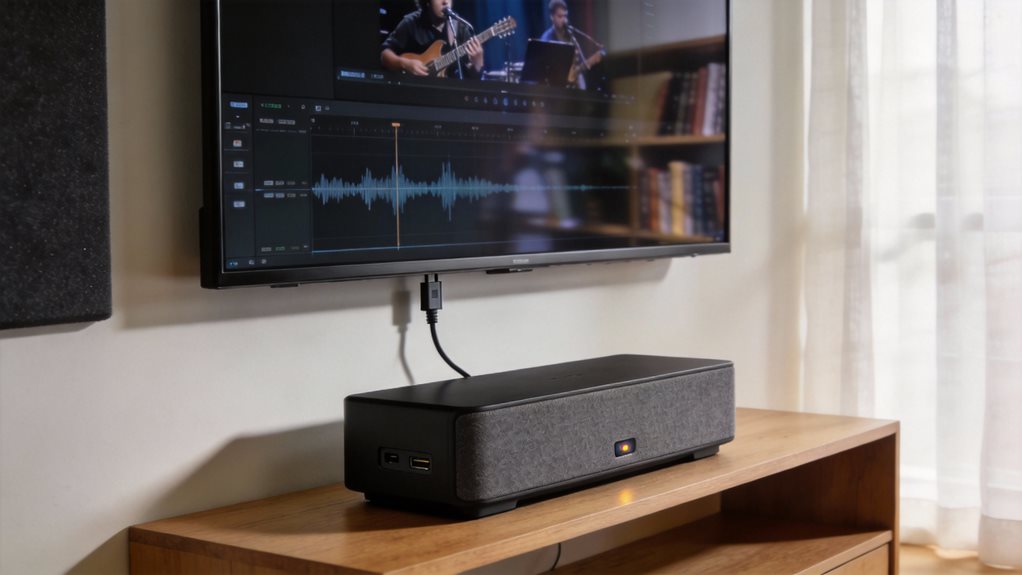
Now, look at your TV settings. Many TVs have an audio delay or lip sync setting buried in the menu. Turn it on. Adjust it in small steps. Watch a scene with clear dialogue. Listen closely. Is the voice ahead? Behind? Tweak the slider. Go back and forth. Find the sweet spot. Optical cables cannot carry newer audio types, which can lead to signal compression and added delay, so ensure you’re using compatible audio connections. For the best audio quality, consider using eARC-compatible cables instead, as eARC supports high-resolution audio formats that eliminate compression. Sound bars with dedicated center channels provide enhanced dialogue clarity that helps you catch every word even when sync is slightly off. Systems with proper room calibration can further minimize audio delays by optimizing sound timing for your specific space.
Some TVs fix this automatically. Look for “audio sync,” “lip sync correction,” or “AV sync” in the settings. Turn it on. Let the TV do the work. But don’t trust it blindly. Test with real content. Use a talk-heavy show or movie clip. Watch mouths. Listen to words. Match them in your mind.
If you’re using a soundbar or home theater system, check its settings too. Some receivers have audio delay controls. Set it manually if needed. Match the video source’s processing time.
Game consoles and streaming boxes can cause delays too. Plug your HDMI cable directly into the TV. Bypass the sound system for a test. If the sync improves, the sound system is the issue. Adjust its audio delay setting. Or switch to TV speakers temporarily.
Streaming apps sometimes misalign audio and video. Restart the app. Refresh the stream. Close other tabs or apps using bandwidth. A slow internet connection can cause audio to lag. Pause the video. Let it buffer fully. Then play. You’ll avoid hiccups.
For video calls, use a headset with a short cable. Keep your software updated. Outdated drivers cause delays. Update your computer, phone, or tablet. Reboot it. Simple fixes often work best.
Gaming? Turn on game mode on your TV. It reduces video processing. Less processing means less delay. Check your console’s audio settings. Some let you adjust audio output timing. Match it to your display. Use optical audio if HDMI causes lag.
Test each change. Be patient. Small tweaks add up. You’re tuning a system. Listen. Watch. Adjust. Sync is within reach. You’ve got this.
Frequently Asked Questions
What Causes Audio Delay in Wireless Headphones?
You get audio delay because wireless headphones need time to process and transmit sound. Bluetooth takes a breath before playing what your device sends. Codecs like SBC slow things down; aptX or AAC speed them up. Your phone or app might not sync perfectly.
Distance and walls make it worse. Interference from Wi-Fi or microwaves stumbles the signal. You fix it by choosing faster tech, staying close, and cutting clutter.
Can Lip Sync Issues Damage My TV?
No, lip sync issues won’t hurt your TV. They’re just out-of-step annoyances, like dancers missing the beat. You’re safe. The sound and picture slip, but nothing’s breaking.
Think of it as a hiccup, not a crash. Fix it in settings. Match audio delays. Sync HDMI modes. Restart gear. Keep cables snug. Update firmware. Smooth things out. You’ve got this.
Does Internet Speed Affect Audio Delay During Streaming?
Yes, slow internet can cause audio delay when you stream. You’ll hear hiccups, echoes, or mismatched voices. Boost your speed, and the sound flows smoothly with the video.
Use Wi-Fi 6 or a wired connection. Close unused apps. Restart your router. Buffering stops. Sync stays tight. You control the fix, simple steps, clear results. Smooth streams start now.
Are Some Audio Formats More Prone to Delay?
Yes, some audio formats do drag their feet like a knight in clunky armor. Stick to AAC or MP3. They’re quick, clean, and widely supported.
Avoid heavy, old-school formats like WAV or uncompressed audio. They clog pipelines. Compressed is good. Efficient is better. You want speed without sacrifice. Trim the fat, and sync stays tight.
Your stream moves like a drumbeat, crisp, steady, on time. Keep it lean. Keep it sharp.
Can Firmware Updates Fix Lip Sync Problems?
Yes, firmware updates can fix lip sync problems. They tweak how your TV or sound system processes audio and video. You install them easily through settings. They often improve timing, especially on smart TVs.
Think of them like tune-ups for your tech. If your audio lags during movies, check for updates. New code can sync sound with speech. Don’t skip them. They’re free. They help. Try one tonight.