A smart bulb looks like the simplest purchase in the entire smart home category, screw it in, download an app, done. Most of the actual friction people hit with smart lighting has nothing to do with the bulb itself and everything to do with what’s already on the wall controlling it.
Here’s what the protocol differences actually mean in daily use, the wall-switch problem that catches almost everyone at least once, and how to tell whether the specs on the box are worth paying more for.
Wi-Fi, Zigbee, or Bluetooth: Which Protocol Should You Actually Care About

Wi-Fi bulbs connect straight to your router, no separate hub required, which makes them the simplest option to get started with. The trade-off shows up specifically when you control several bulbs at once.
Each one gets its own individual command from your router, so a “turn on all the lights” request can visibly trigger them one after another instead of simultaneously, an effect people who work with these systems call the popcorn effect. It’s cosmetic, not a malfunction, but it’s the kind of thing that makes a system feel less polished in daily use.
Zigbee bulbs (Philips Hue is the best-known example) need a hub or bridge to unlock their full feature set, an extra step and an extra cost most Wi-Fi bulbs skip. That hub buys you a mesh network where every bulb also relays the signal for the others.
Group commands arrive as a single broadcast instead of individual messages, so a whole room of Zigbee bulbs turns on instantly and together rather than in a visible cascade. It’s more reliable at range and less dependent on your home Wi-Fi staying solid. For a couple of bulbs in one room, the difference is minor. For a whole-house lighting setup, it’s why people willingly pay for a hub.
Our breakdown of when a hub is actually worth adding covers that trade-off in more depth.
Bluetooth bulbs are the simplest and usually cheapest tier. There’s no hub, no router dependency, and your phone controls it. The real limitation is range and remote access.
Bluetooth control generally stops working once you’re outside the house, so advance scheduling, instead of remote scheduling, is necessary. Matter-certified bulbs, regardless of underlying protocol, are increasingly the safest choice if working across Alexa, Google Home, and Apple HomeKit matters to you; see our explainer on what Matter actually is and what that badge does and doesn’t guarantee.
Recommended Products

Zigbee 3.0 Standard: Requires a Zigbee hub. Works with compatible Zigbee hubs or Echo devices with Zigbee hub built-in, such as Echo (4th Gen), Echo Plus (1st Gen and 2nd Gen), Echo Studio, Echo Show 8 3rd Gen, Echo Show 10(2nd Gen and 3rd Gen), Echo Hub, Eero 6, Eero Pro 6, Home Assistant(ZHA&Z2M), SmartThings 2015/2018, Aeote, Hubitat and Third reality Hub Gen2 Plus.

Zigbee 3.0 Standard: Requires a Zigbee hub. Works with compatible Zigbee hubs or Echo devices with Zigbee hub built-in, such as Echo (4th Gen), Echo Plus (1st Gen and 2nd Gen), Echo Studio, Echo Show 8 3rd Gen, Echo Show 10(2nd Gen and 3rd Gen), Echo Hub, Eero 6, Eero Pro 6, Home Assistant(ZHA&Z2M), SmartThings 2015/2018, Aeote, Hubitat and Third reality Hub Gen2 Plus.

Hub Required(Sold Separately): Sengled smart light bulbs are compatible with Amazon Echo built-in hub, SmartThings, Wink, Hubitat or Sengled Hub. Sengled smart hub needs to be connected to your home router with an Ethernet cable.
The Switch Problem Nobody Mentions Until You Hit It

This is the single most common smart bulb complaint, and it’s never a defective product. A smart bulb needs continuous power to stay connected to Wi-Fi or Zigbee.
If it’s installed in a fixture controlled by a regular wall switch and someone flips that switch off the old-fashioned way, the bulb loses power entirely and can’t respond to the app, voice commands, or schedules until the switch is flipped back on.
There are three real ways to handle this. Leave the physical switch permanently on and control the bulb only through the app or voice, which works but requires retraining anyone in the household used to flipping a switch by hand.
Add a battery-powered smart remote (Philips Hue’s dimmer switch is a well-known example) that sends a wireless command instead of physically cutting power, so the original switch stays untouched.
Or skip smart bulbs in that fixture entirely and install a smart switch or dimmer instead, which controls ordinary non-smart bulbs from the wall and keeps the switch itself fully functional for guests and family. That last option is usually the right call for multi-bulb fixtures, ceiling fixtures, and any light a non-technical household member needs to operate the normal way.
One more wiring detail worth checking before buying: if a fixture is already on a dimmer switch, don’t put a non-dimmable smart bulb behind it. A standard dimmer that cuts power in a non-standard way to a bulb that isn’t built for it can cause flickering, buzzing, or shortened bulb life. Either use a bulb explicitly rated as dimmable, or replace the physical dimmer with a smart one and use regular bulbs behind it.
Recommended Products

SMART UPGRADE: Transform your home by upgrading to a smart switch that works seamlessly with Alexa, providing convenient voice control for an enhanced living experience

App-Guided Install: The Kasa or Tapo app guides you through step-by-step setup. Requires neutral wiring and 2.4 GHz Wi-Fi. Consulting an electrician is recommended if you’re unfamiliar with electrical wiring

Controls Lutron Caseta dimmers and plug-in lamp dimmers (sold separately)
Lumens, Color Temperature, and CRI: What the Numbers Actually Mean

Lumens measure actual brightness, and they’re the number to check, not wattage, which is a leftover unit from incandescent bulbs that doesn’t translate directly to LED output. A standard 60-watt-equivalent bulb puts out roughly 800 lumens; most smart bulbs list an equivalent wattage on the box specifically because most people still shop by that older number out of habit.
Color temperature, measured in Kelvin, determines whether white light reads warm or cool: roughly 2700K is the warm, slightly yellow light closest to a traditional incandescent bulb, and climbs toward 5000-6500K for a crisp, blue-white daylight tone more common in kitchens and workspaces.
Tunable white bulbs let you adjust this by time of day or task without buying separate bulbs for separate rooms, which is a genuinely useful feature that has nothing to do with color-changing gimmicks.
CRI (color rendering index) measures how accurately a light source renders colors compared to natural daylight, on a scale up to 100. It doesn’t show up on every listing, but it’s worth checking for spaces where color accuracy matters. A kitchen, where you’re checking if food looks right, or a closet where you’re matching clothes. A CRI in the 90s is a meaningfully better everyday experience than a bulb in the 70s or 80s, even though both would be described as simply “bright white” on the box.
Do You Need Color-Changing Bulbs, or Is Tunable White Enough?

Full-color (RGB) smart bulbs cost more than white-only or tunable-white models, and it’s worth being honest about how often you use the color feature after the first week. For most everyday rooms, like living rooms, kitchens, and hallways, a good tunable-white bulb delivers more genuine daily value: warmer light in the evening, cooler light for tasks during the day, without the novelty wearing off the way accent-lighting colors tend to.
Color bulbs earn their place in specific spots: a media room or gaming setup where color sync with a TV or speakers adds real atmosphere, a kid’s room, accent lighting behind a TV or along a shelf. Buying a whole house of RGB bulbs when tunable white covers the daily use case is a common way people overspend on a starter smart lighting setup.
Our budget starter kit guide explains how to sequence lighting purchases without overspending on features you will never use.
Recommended Products

【Alexa & Google Home Control — Requires AiDot App Setup】This non-Matter smart light bulb requires AiDot setup before linking to Alexa or Google Home: in AiDot, tap Me > Integration and select your platform to link. It does not connect directly and works only with Alexa and Google Home, not Apple Home, SmartThings, Tuya, or Smart Life. Bring effortless, hands-free lighting to your day—ask Alexa or Google Home to turn lights on/off, fine-tune 1–100% brightness, or adjust color temperature for cooking, baby care, and more.
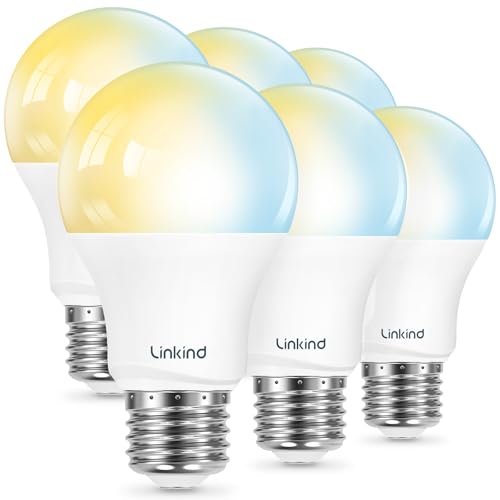
【Alexa & Google Home Control — Requires AiDot App Setup】This non-Matter smart light bulb requires AiDot setup before linking to Alexa or Google Home: in AiDot, tap Me > Integration and select your platform to link. It does not connect directly and works only with Alexa and Google Home, not Apple Home, SmartThings, Tuya, or Smart Life. Bring effortless, hands-free lighting to your day—ask Alexa or Google Home to turn lights on/off, fine-tune 1–100% brightness, or adjust color temperature for cooking, baby care, and more.

Voice Control: Get hands-free control of your lights with your voice via Amazon Alexa or Google Assistant; Perfect for times when your hands are full or entering a dark room
Grouping and Scenes: Where the Real Convenience Comes From

The daily value of smart bulbs comes less from any single bulb and more from grouping several and setting scenes, a saved combination of brightness and color temperature across multiple bulbs that triggers with one voice command or app tap.
“Movie night” dimming the living room to 20% warm white, or “good morning” bringing bedroom lights up gradually instead of all at once, is where the category actually earns daily use rather than being a novelty that stops getting touched after the first month.
How grouping works differs meaningfully by ecosystem and protocol, and it’s worth testing with two or three bulbs before committing to a whole-house rollout. If you already own other smart devices, see our guide to what actually works together across brands for how lighting fits alongside plugs, locks, and speakers from different manufacturers in the same automation.
Recommended Products
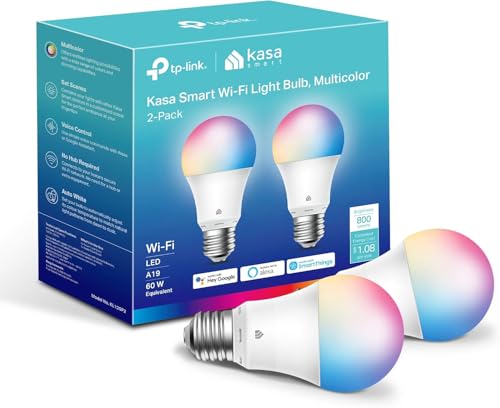
Multicolor & Auto White: Dimmable 16 million colors and warm to cool whites(2500K-6500K). Set your bulb to automatically adjust its color temperature to match natural light patterns from dawn to dusk. Explore endless lighting possibilities to create your favorite light effects for everything from a dinner party to a late-night study session. Great for holiday decorations.
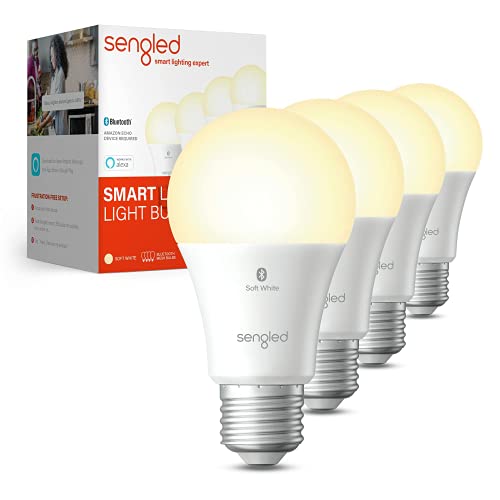
Sengled S1 Auto Paring: (No registration required, No 3p account required) The Sengled Auto Pairing Kit offers a simple setup and stable links. Just twist in the smart bulbs and start using them with Alexa Devices in seconds.

SMART UPGRADE FOR CONVENIENCE AND ENERGY EFFICIENCY : Control your Amazon Basics smart light bulbs using your voice or via the Alexa app, no more turning on/off each individual light switch. Create custom routines to schedule your lights automatically at sunset and sunrise and save energy. You can change colors of your lights for a movie night with family or friends. Works Exclusively with Alexa. Not compatible with Google Assistant, Apple HomeKit, Smart Things.
So, Are Smart Bulbs Worth It?

For lamps, accent lighting, and any fixture with its own independent socket, yes, they’re one of the more reliably useful smart home purchases, genuinely convenient rather than a gimmick that fades after the novelty wears off.
For multi-bulb ceiling fixtures or any light regularly operated by someone who doesn’t want to think about smart home quirks, a smart switch behind ordinary bulbs is usually the better fit than smart bulbs themselves.
Start with a couple of bulbs in one room before committing to a whole-house rollout, confirm whether the fixture is on a physical switch anyone in the household actually uses, and lean toward tunable white over full color unless a specific room genuinely calls for it.
For the bigger picture on sequencing a full smart lighting and smart home setup, see our breakdown of what it actually costs to smart-home a house.
Frequently Asked Questions
Why does my smart bulb stop working sometimes?
The most common cause is a physical wall switch cutting power to the fixture, which disconnects the bulb from Wi-Fi or Zigbee until the switch is back on. It’s not a defect. The fix is to leave the switch on permanently or control the bulb by app or voice, using a battery-powered smart remote instead of a wall switch, or replace the fixture’s control with a smart switch and regular bulbs behind it.
Do I need a hub for smart bulbs?
Depends on the protocol. Wi-Fi bulbs connect directly to your router with no hub needed. Zigbee bulbs, like Philips Hue, need a bridge or hub to unlock their full feature set, though some also offer a limited Bluetooth-only mode without one. Bluetooth-only bulbs need no hub at all but lose remote access outside the home.
Are color-changing smart bulbs worth the extra cost?
For most everyday rooms, a tunable-white bulb delivers more genuine daily value than full color, since the color feature often stops getting used after the first week. Color bulbs are worth it for specific spots: media rooms, accent lighting, or spaces where the novelty itself is the point.
Can I put a smart bulb behind a dimmer switch?
Only if the bulb is explicitly rated as dimmable and compatible with your specific dimmer. Standard dimmers cut power to smart bulbs in a non-standard way, causing flickering, buzzing, or a shortened bulb lifespan. The more reliable fix in an already-dimmed fixture is often to replace the physical dimmer with a smart one and use ordinary bulbs behind it.
Why do my Wi-Fi smart lights turn on one at a time instead of together?
That’s the “popcorn effect,” a byproduct of how Wi-Fi bulbs work: your router sends each bulb its own individual command rather than one broadcast to all of them, so they can visibly turn on in sequence rather than simultaneously. It’s cosmetic, not a malfunction. Zigbee bulbs on a hub generally avoid this by issuing a single group command that every bulb receives at once.